Moodle Reporting Made Simple: AI-Powered Analytics Dashboard
Generate Moodle reports instantly with AI. Ask for any report in plain English—no SQL required. The best Moodle analytics plugin for course reports, student tracking, and learning analytics.
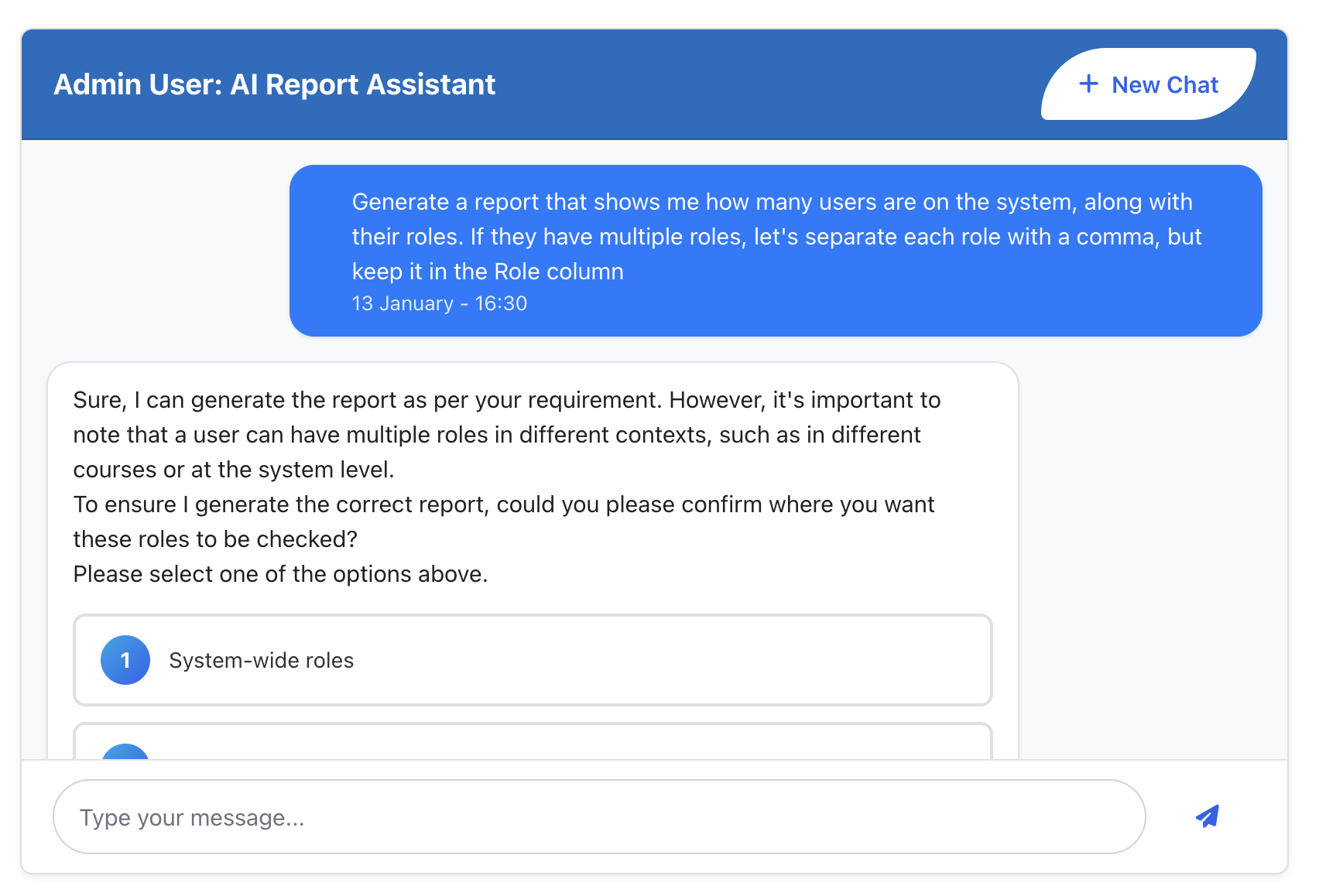
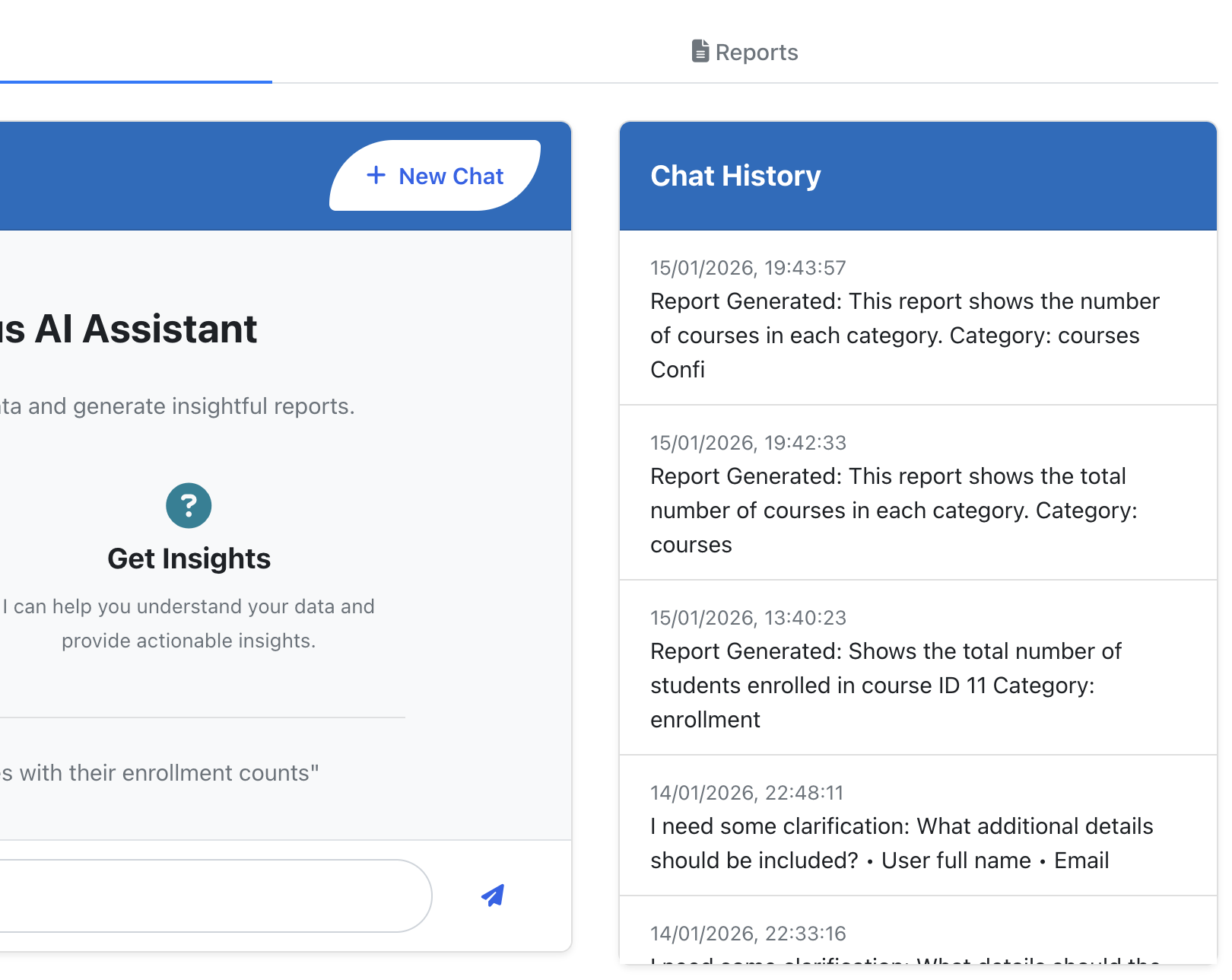
Ask for any report in plain English. No SQL required.
Report Wizard
Step-by-Step Builder
Guided report creation with templates and parameters.
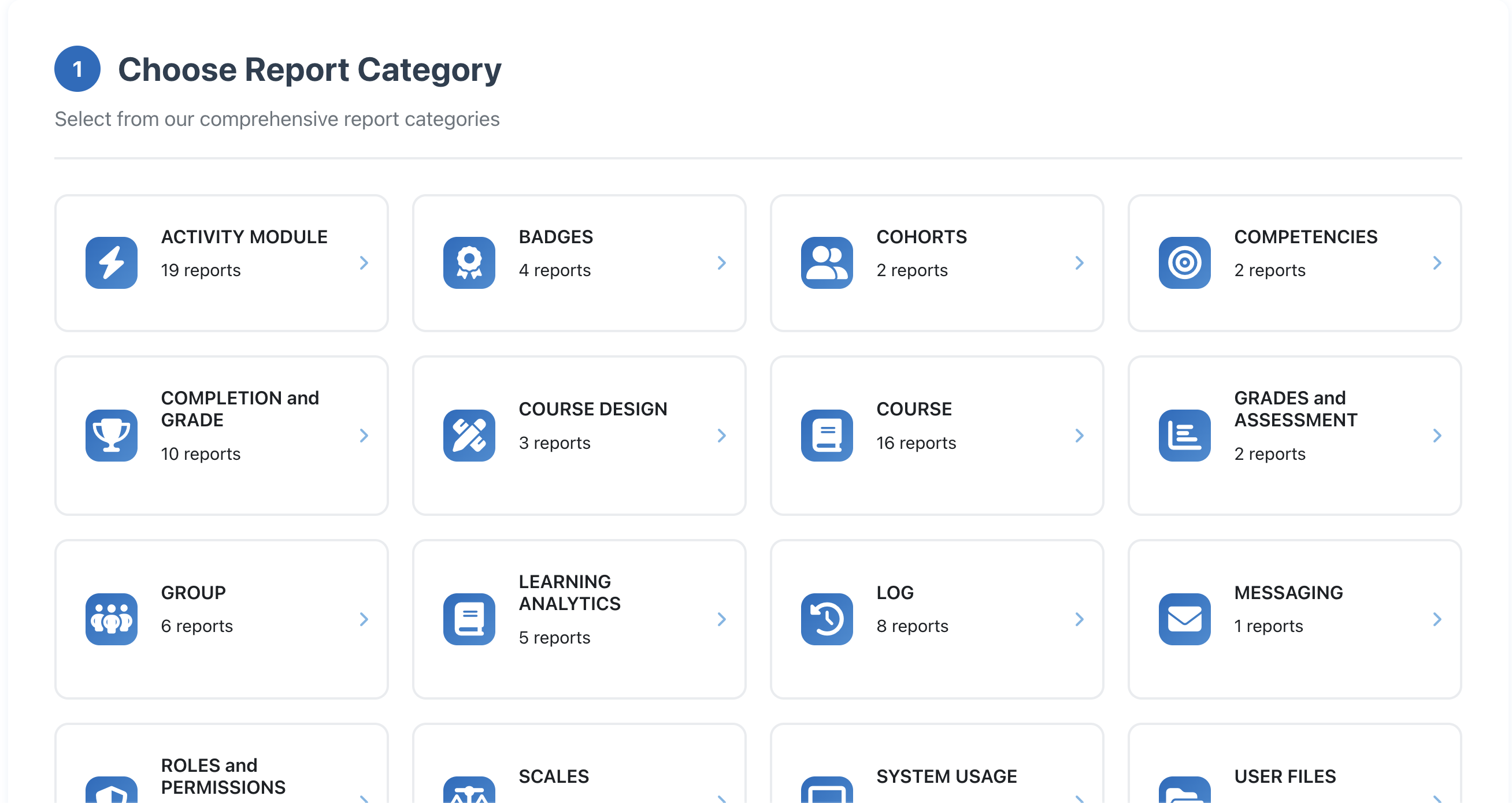
Categories
16 Report Categories
Pre-built templates for courses, students, quizzes & more.
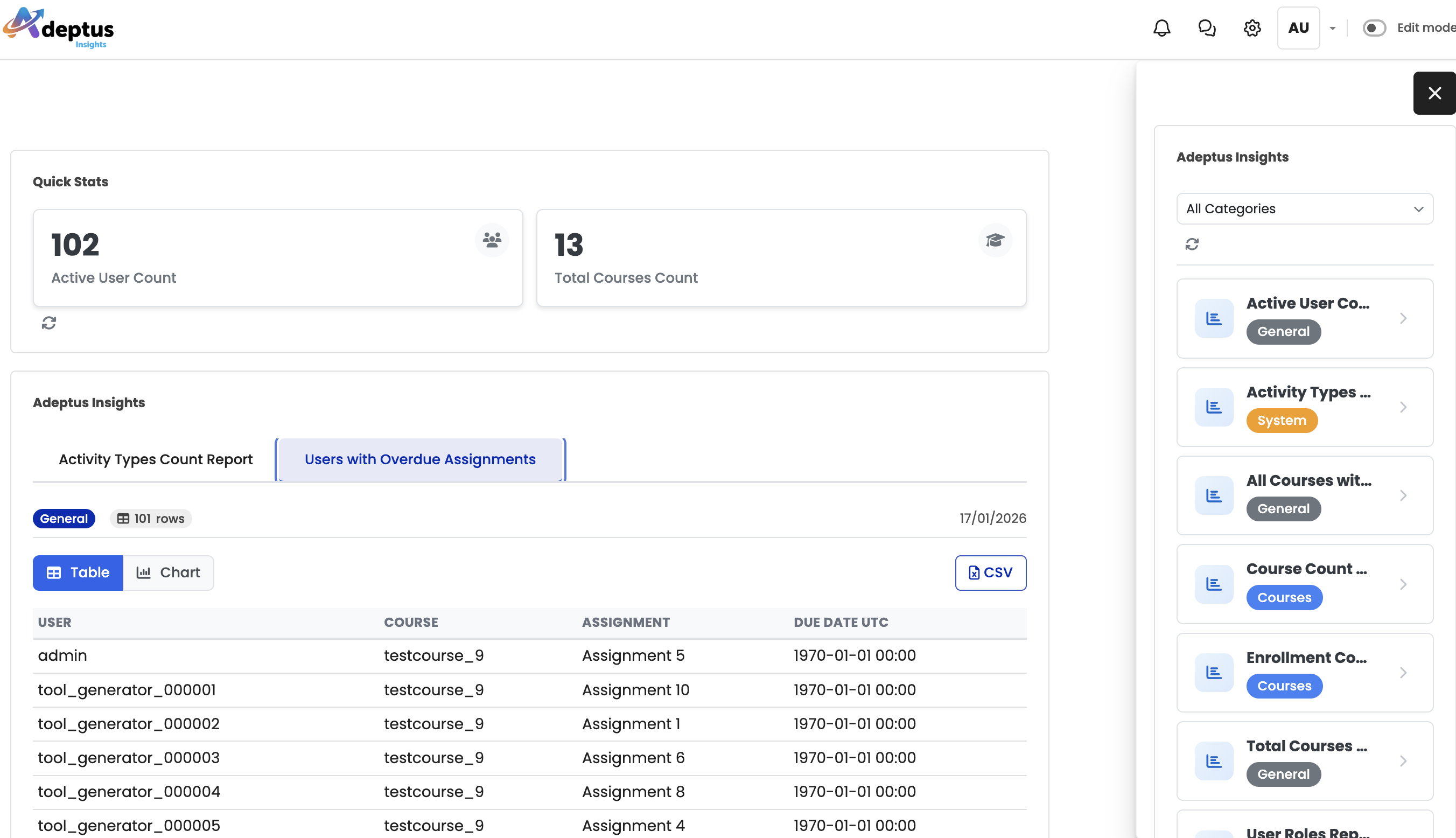
Dashboard
Dashboard Blocks
Real-time KPI cards, charts, and metrics at a glance.
History
Chat History
Save conversations, bookmark reports, and re-run anytime.
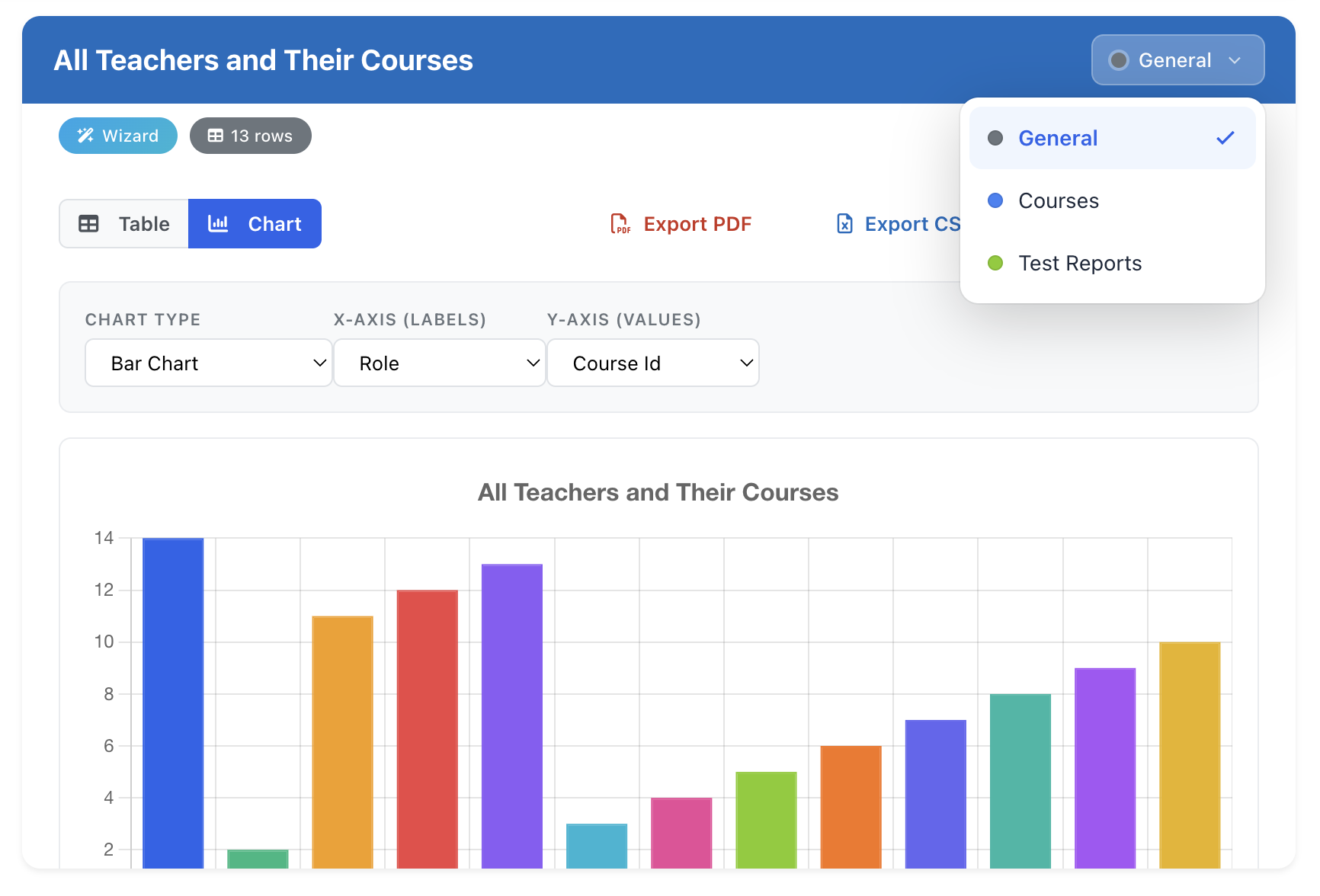
Export
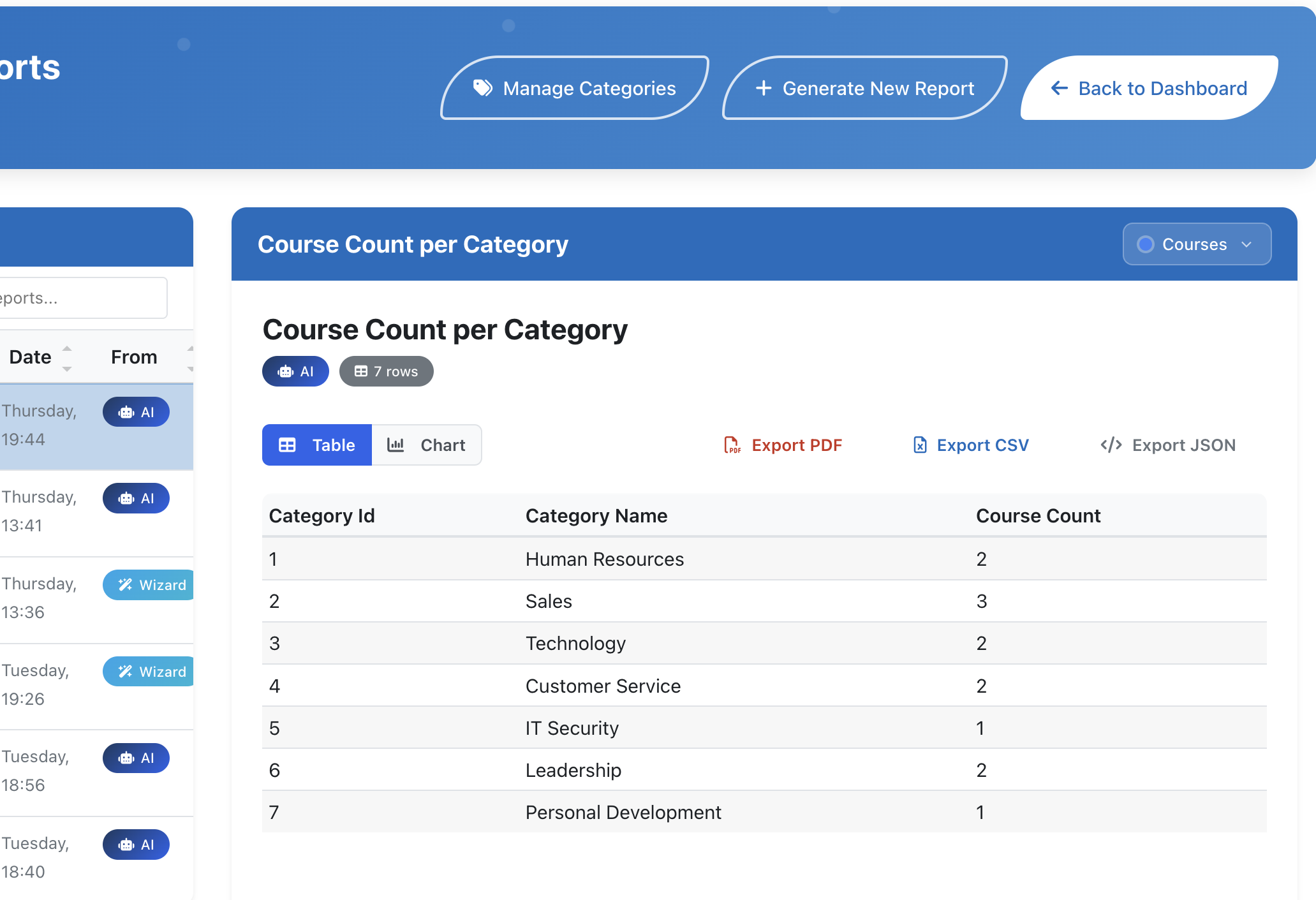
Multiple Export Formats
Export to PDF, CSV, or JSON with one click.
Customize
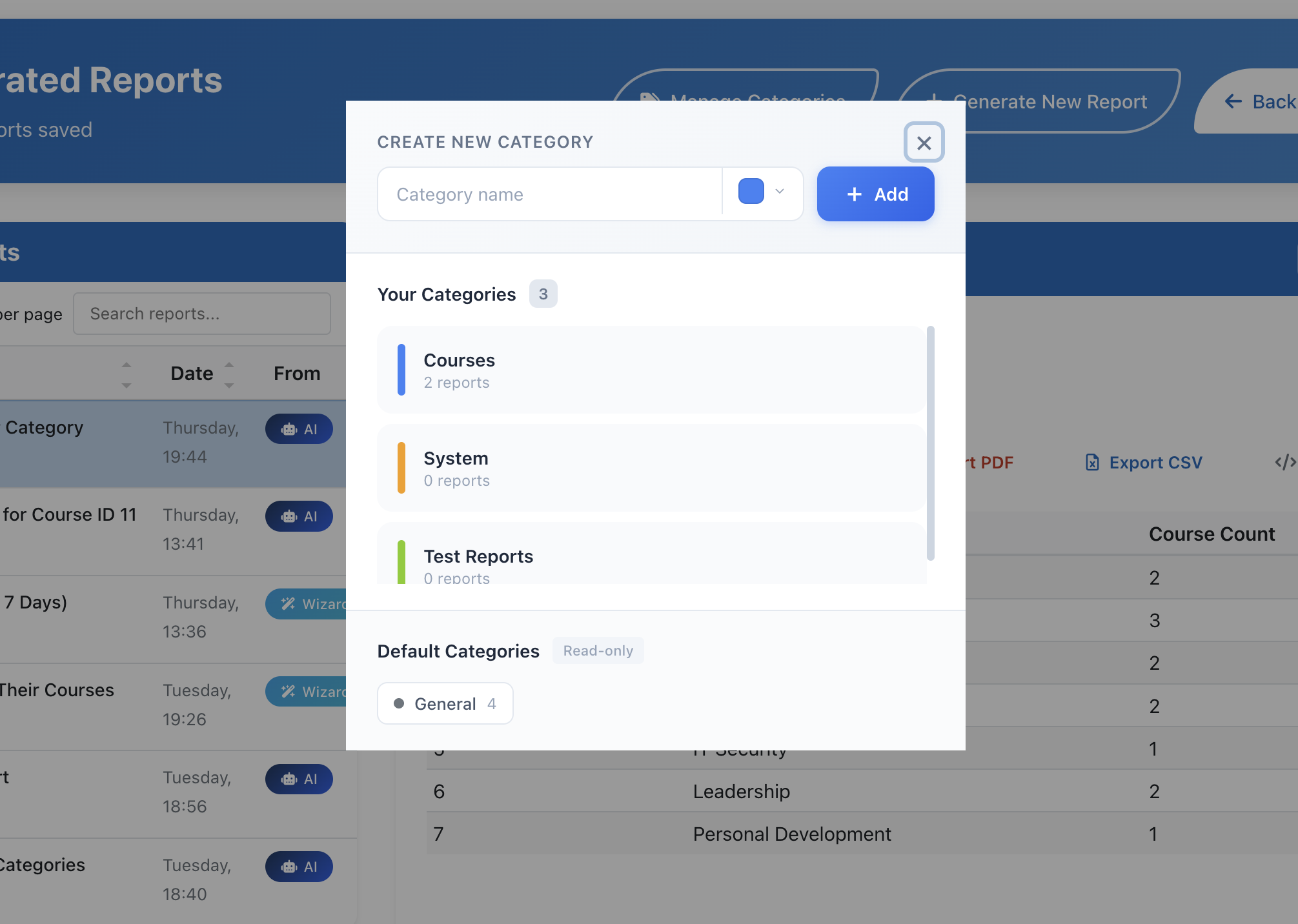
Custom Report Templates
Create and save your own report categories and templates.
AI-Powered Moodle Reports
Generate Moodle Reports with Natural Language AI
The AI assistant understands natural language and knows your entire Moodle schema - over 200 tables across 46 data groups. Just describe what you need.
"Show students who haven't logged in for 30 days" - Done in seconds
Conversational refinement - "Actually, make that 90 days instead"
Automatic SQL generation - validated for security & performance
Moodle Report Wizard: Build Custom Reports Without SQL
Prefer a guided approach? The Report Wizard walks you through building custom reports step-by-step. Select category, choose parameters, get results.
Intuitive step-by-step interface
Save reports as bookmarks for quick access
View report history with previous parameters
One-click re-run of favorite reports
Moodle Report Categories
16 Moodle Report Categories: Course, Student, Quiz & More
Comprehensive Moodle reporting with pre-built templates for enrollment analytics, course completion tracking, quiz performance, student engagement, and compliance audits. All the Moodle reports you need in one plugin.
User & Enrollment
Active users, trends, demographics
Course Reports
Activity, content usage, modules
Grades & Assessment
Distributions, completion, trends
Quiz & Assessment
Performance, questions, attempts
Completion Reports
Course completions, certificates
Engagement Reports
Login frequency, time-on-task
Attendance
Rates, patterns, punctuality
System Usage
Peak times, resource demand
Communication
Forums, messaging, collaboration
Roles & Permissions
Assignments, audits, access
Financial Reports
Revenue, payments, tracking
Compliance
Training, certification, audits
Content Reports
Resource usage, downloads
Analytics
Trends, forecasting, predictions
Teacher Reports
Activity, grading, response rates
Student Reports
Progress, paths, achievements
Moodle Analytics Dashboard
Real-Time Moodle Dashboard Blocks with KPI Tracking
Add customizable Moodle dashboard widgets to your homepage, course pages, or user profiles. Track enrollment metrics, completion rates, and engagement KPIs in real-time with four flexible display modes.
KPI Cards Mode
Display multiple metrics as compact visual cards with trend indicators and sparkline charts.
Up/down/neutral trend arrows
Historical sparkline charts
Configurable 1-4 column layouts
Auto-refresh every 5 min to 1 hour
Active Users
1,247
+12% from last week
Completion Rate
84.2%
+3.1% this month
Avg. Quiz Score
72.8
-2.4 points
Inactive Users
89
-15 from last week
Embedded Report Mode
Display a complete report with interactive chart and data table. Perfect for highlighting one specific metric.
Full chart visualization
Configurable chart height and rows
Quick export buttons
Course Completions
Last 7 days
Quick Links Mode
Display a compact list of clickable report names with category badges. One-click access to your most important reports.
Display multiple related reports in a tabbed interface. Switch between them without leaving the page.
Group thematic reports together
Context-aware filtering
Seamless tab switching
342
Total Students
89%
Active Rate
Last updated: 2 minutes ago
Moodle Alert System
Proactive Moodle Alerts: Automated Notifications for Critical Metrics
Set thresholds on any KPI metric and receive instant notifications when they're crossed. Catch issues before they impact learners.
Warning alerts for early indicators (amber)
Critical alerts for immediate attention (red)
Recovery alerts when metrics return to normal (green)
Moodle messaging + email notifications
Example alerts: Enrollment drops below 50 | Completion rate falls under 80% | Inactive users exceed 100
Active Alerts3 New
Low Completion Rate
BIO-101 dropped to 62% (threshold: 80%)
Inactive Users Rising
97 users inactive for 14+ days
Recovered: Quiz Pass Rate
MATH-201 back above 70%
Easy Moodle Plugin Setup
Install Adeptus Insights: Moodle Reporting in 4 Simple Steps
1
Install Plugin
Standard Moodle plugin installation. No complex setup required.
2
Register & Connect
Create your account and link to our cloud backend.
3
Choose Your Plan
Start free with 5 reports or upgrade to Pro for 50 active reports.
4
Start Reporting
Ask questions, run reports, place dashboard blocks.
Moodle Plugin Pricing
Moodle Reporting Plugin Pricing: Free, Pro & Enterprise Plans
Start with our free Moodle reporting plugin tier and upgrade when you need more. All plans include AI-powered report generation and core analytics features.
Cloud-hosted backend, 99.9% uptime target, global CDN
AI Provider
OpenAI GPT with OpenRouter fallback
Moodle Reporting FAQ
Frequently Asked Questions About Moodle Reports & Analytics
Is my Moodle data sent to external servers?
Your data stays in your Moodle. Our AI only receives the schema structure and your natural language queries. Report generation happens locally on your server using secure SQL queries we validate for safety.
Can I use Insights with Moodle 4.x?
Yes! Adeptus Insights is fully compatible with Moodle 3.9 through all 4.x versions. We test against each new Moodle release to ensure compatibility.
What happens when I reach my report limit?
You'll receive a notification when approaching your limit. You can upgrade to a higher tier at any time, and your usage resets monthly. Saved bookmarks and history are preserved regardless of limits.
Do you offer discounts for educational institutions?
Yes! We offer special pricing for accredited educational institutions. Contact our sales team with your institution details for a custom quote. We also offer suite bundles with Adeptus Quest for additional savings.
How do proactive alerts work?
You configure thresholds for any KPI (e.g., "alert when completion rate drops below 80%"). The system checks at your specified frequency (5 min to 24 hours) and sends notifications via Moodle messaging and/or email when thresholds are crossed.
Can I export large datasets?
Yes! Insights handles datasets from 10K to 100K+ records. For very large exports, we use an optimized "Export Mode" that processes data efficiently and provides progress notifications. Enterprise users have no export size limits.
Start Using the Best Moodle Reporting Plugin Today
Join thousands of Moodle administrators who've replaced manual spreadsheet reports with AI-powered analytics. Get started free—no credit card required.